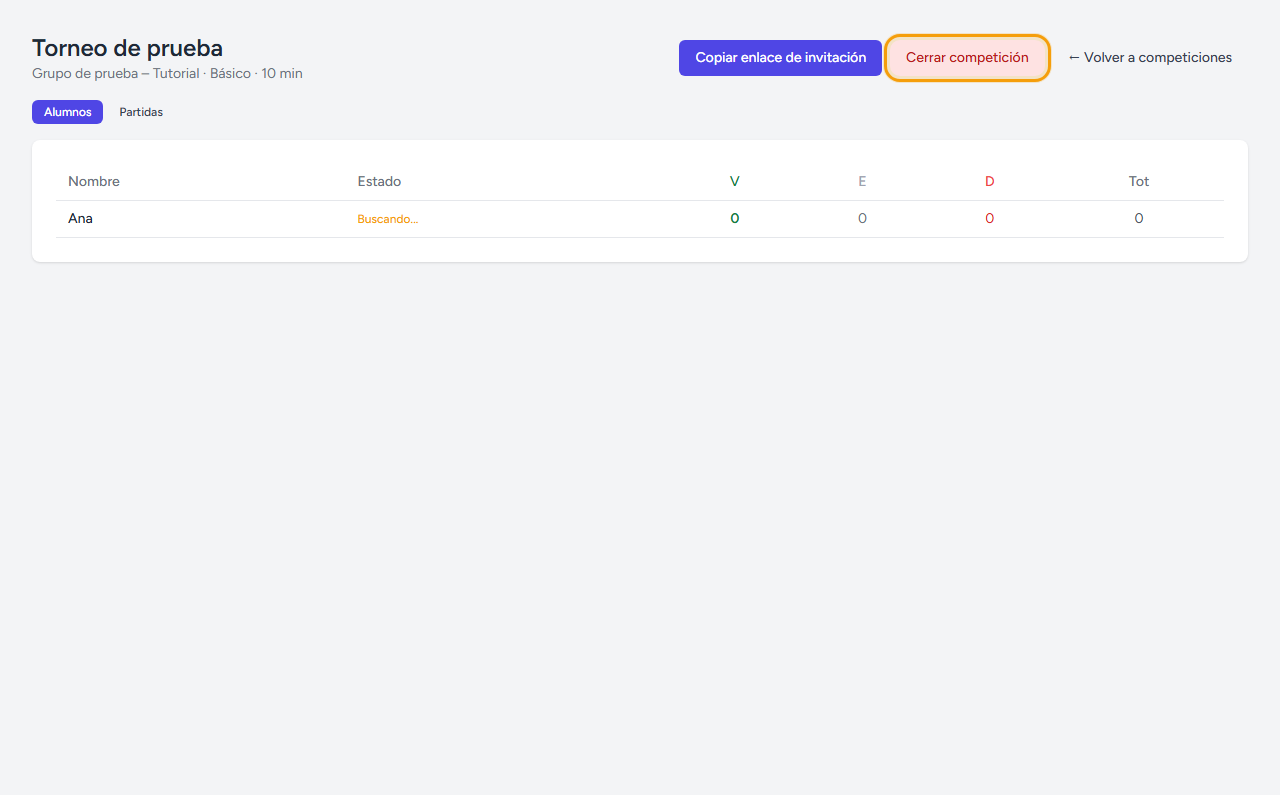
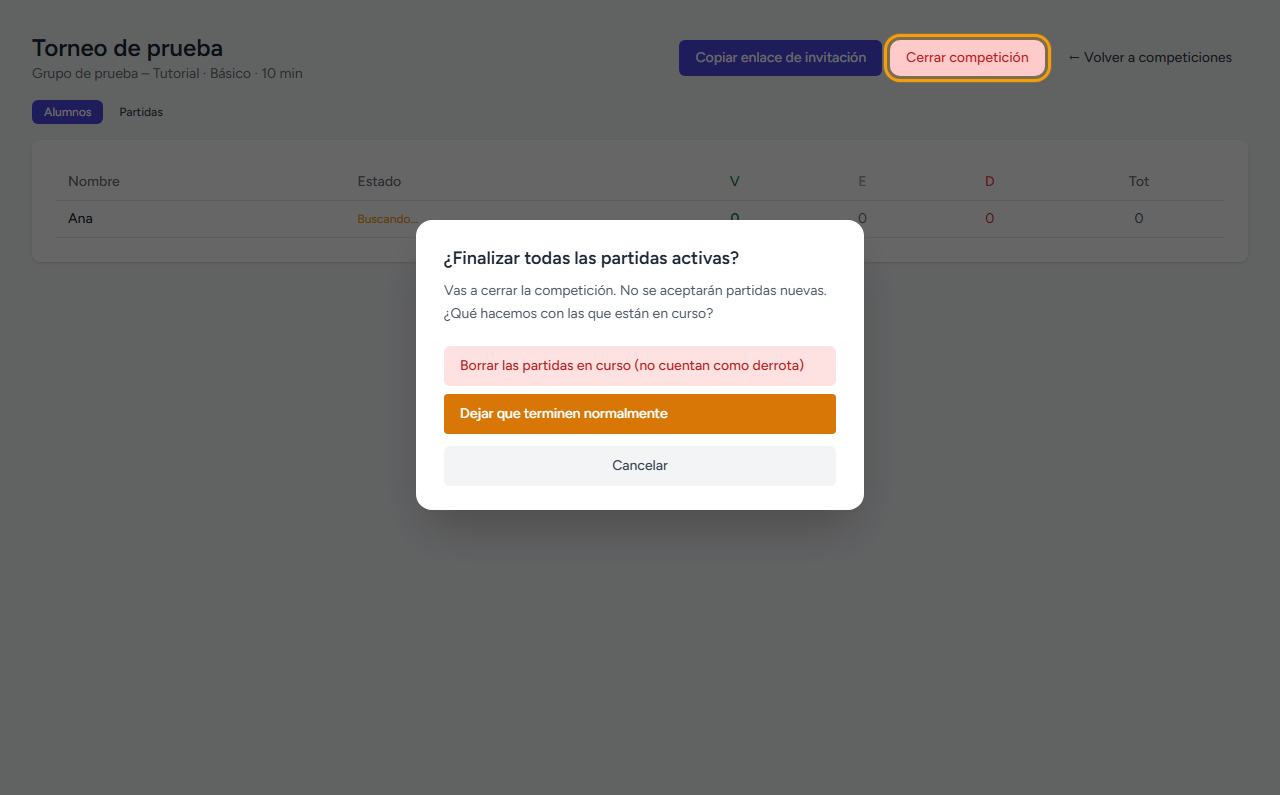
Un torneo de un juego concreto para tu grupo, con inscripción automática y resultados en vivo.
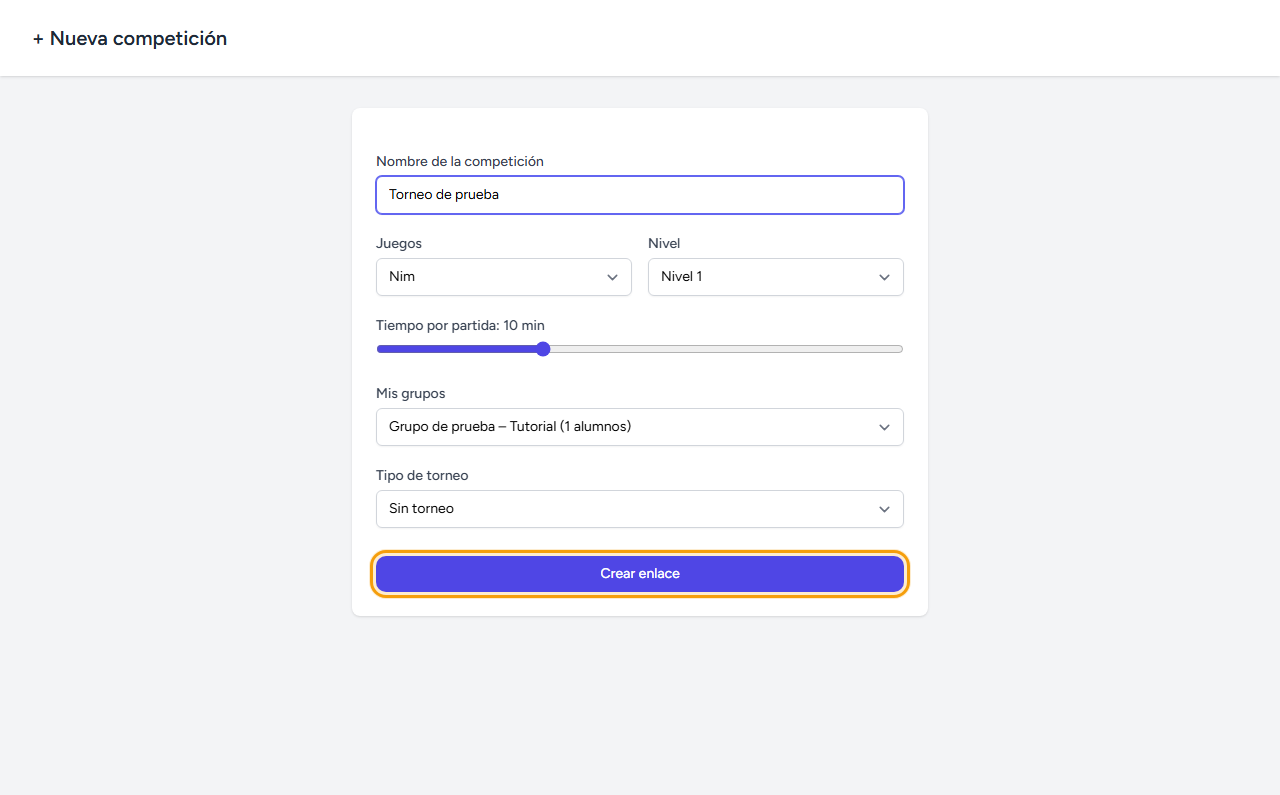
Rellena los datos del torneo
En Competiciones → Nueva competición elige el juego, el nivel, el tiempo por partida, el grupo y, si quieres, un formato de torneo (individual, ida o ida y vuelta).
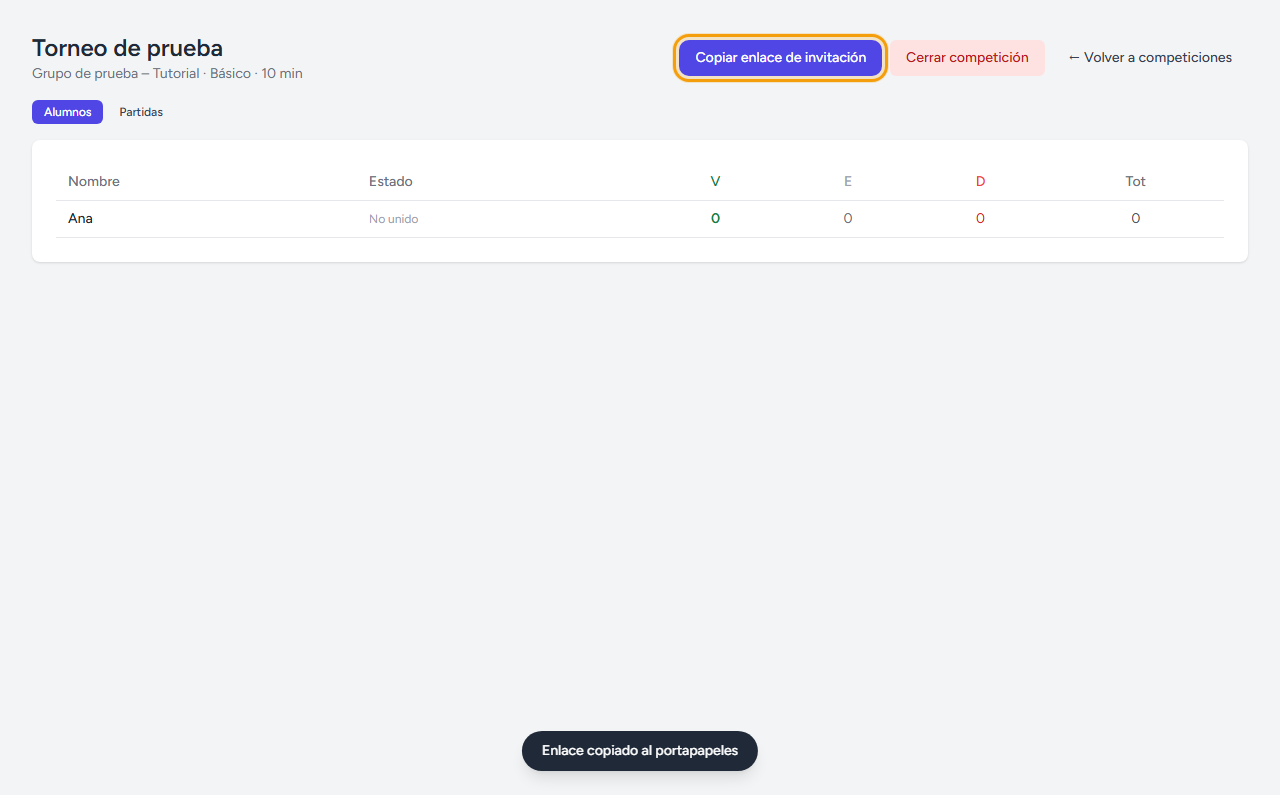
El enlace queda listo al momento
Al crearla, todos los alumnos del grupo quedan preinscritos automáticamente — no hace falta que nadie rellene nada para aparecer en la lista. Copia el enlace de invitación y compártelo.
El alumno recibe el aviso
Igual que con los labs, en cuanto el alumno abre cualquier página ve una tarjeta con el nombre de la competición y un botón para unirse.
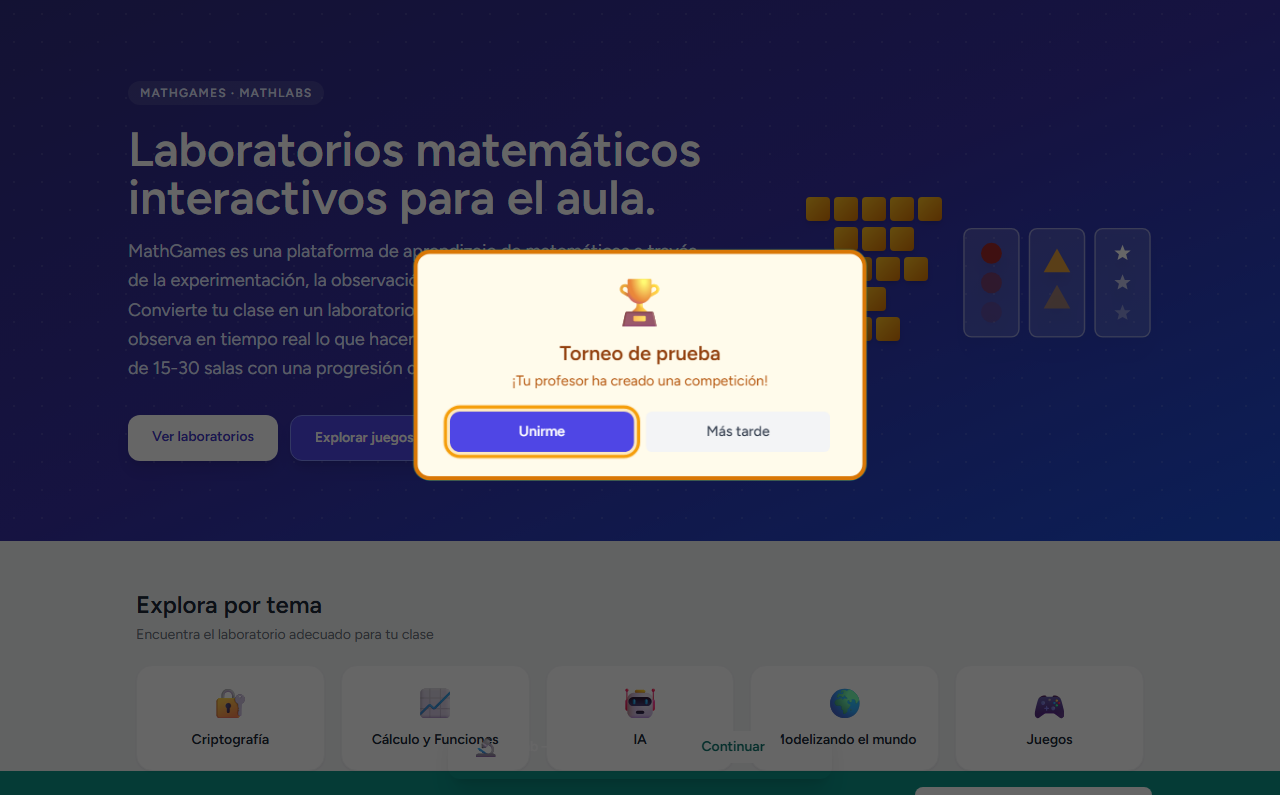
Busca rival y juega
Al unirse, el alumno entra directamente en la búsqueda de partida contra otro compañero del grupo — o puede compartir el enlace de la partida con alguien en concreto.
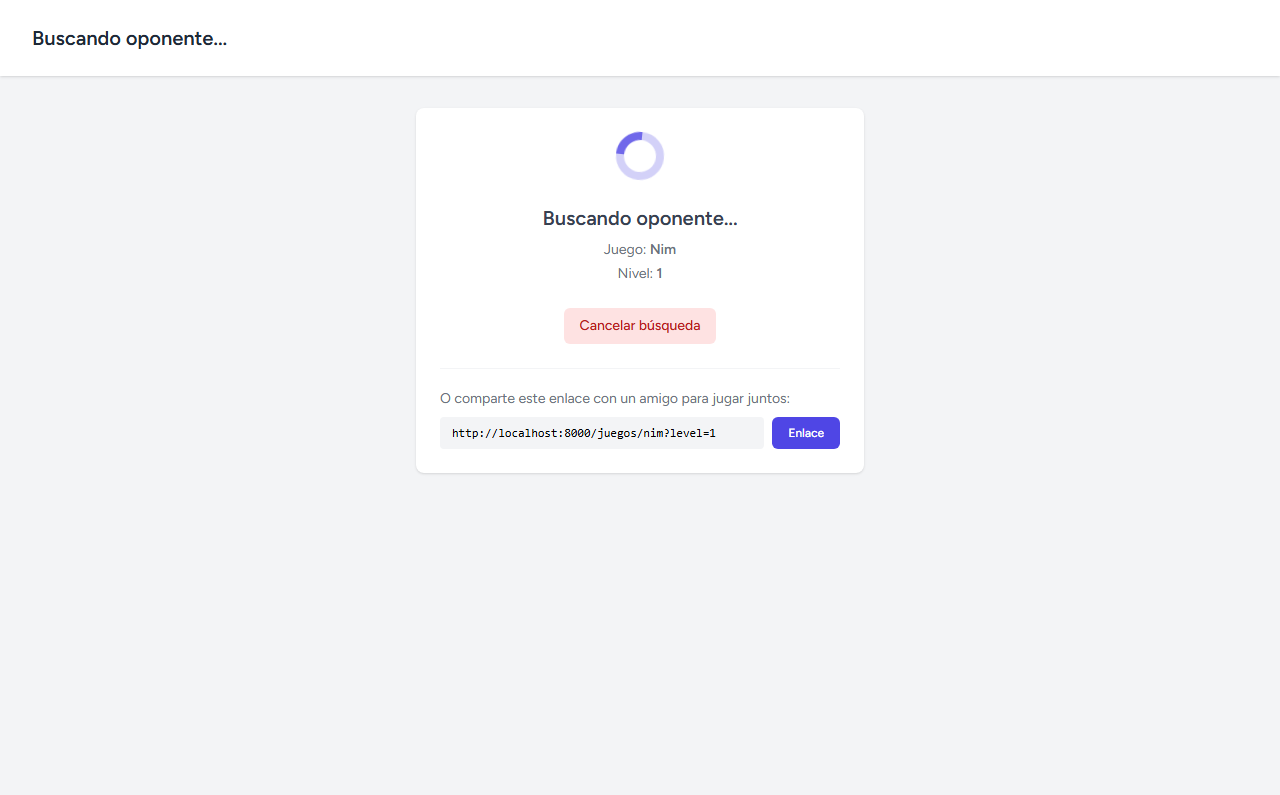
Sigue la tabla en vivo
La pestaña Alumnos muestra el estado de cada uno (buscando, jugando, sin unirse) y su marcador de victorias, empates y derrotas, actualizado según se juegan las partidas.
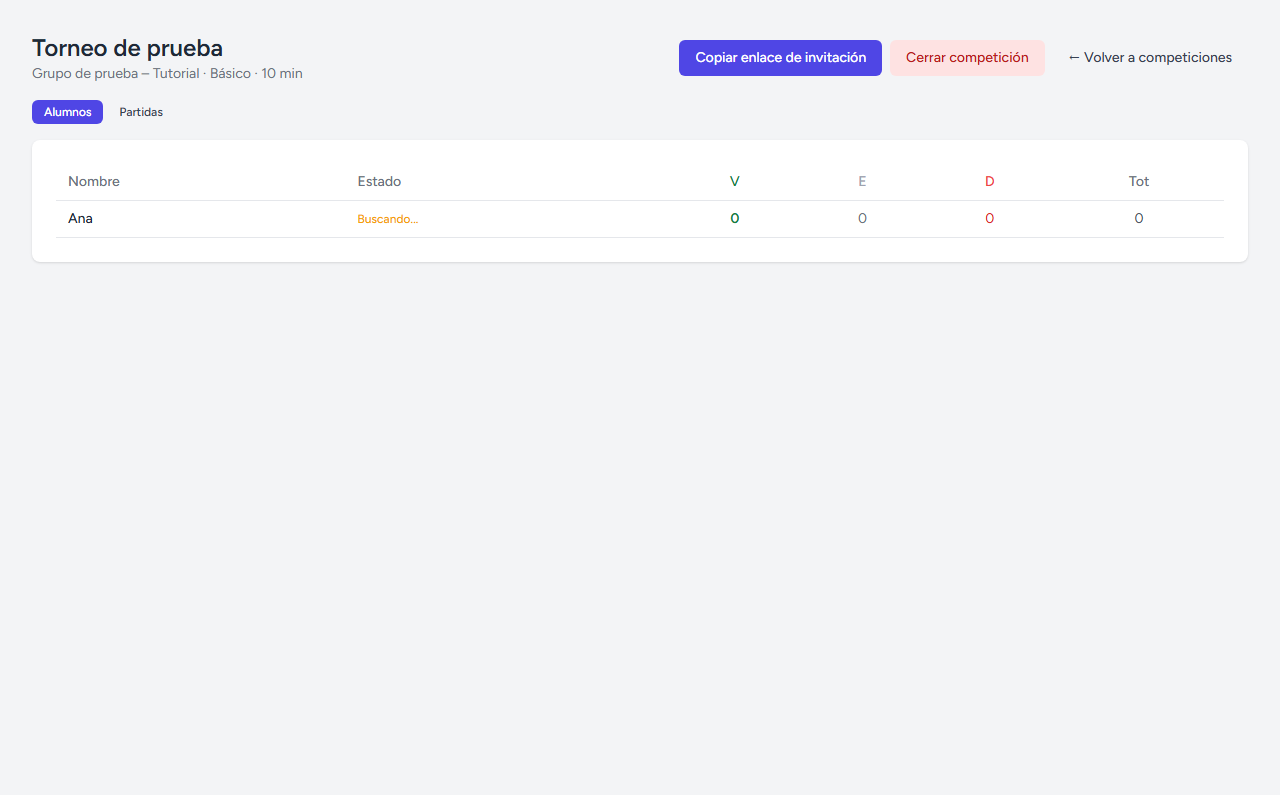
Cierra la competición cuando toque
Cerrar competición deja de aceptar partidas nuevas. Si hay partidas en curso, eliges qué hacer con ellas: borrarlas (no cuentan como derrota), dejar que terminen con normalidad, o cancelar y seguir esperando.