Cómo dar de alta tu clase, mantener los nombres a raya y dejar la inscripción bajo control.
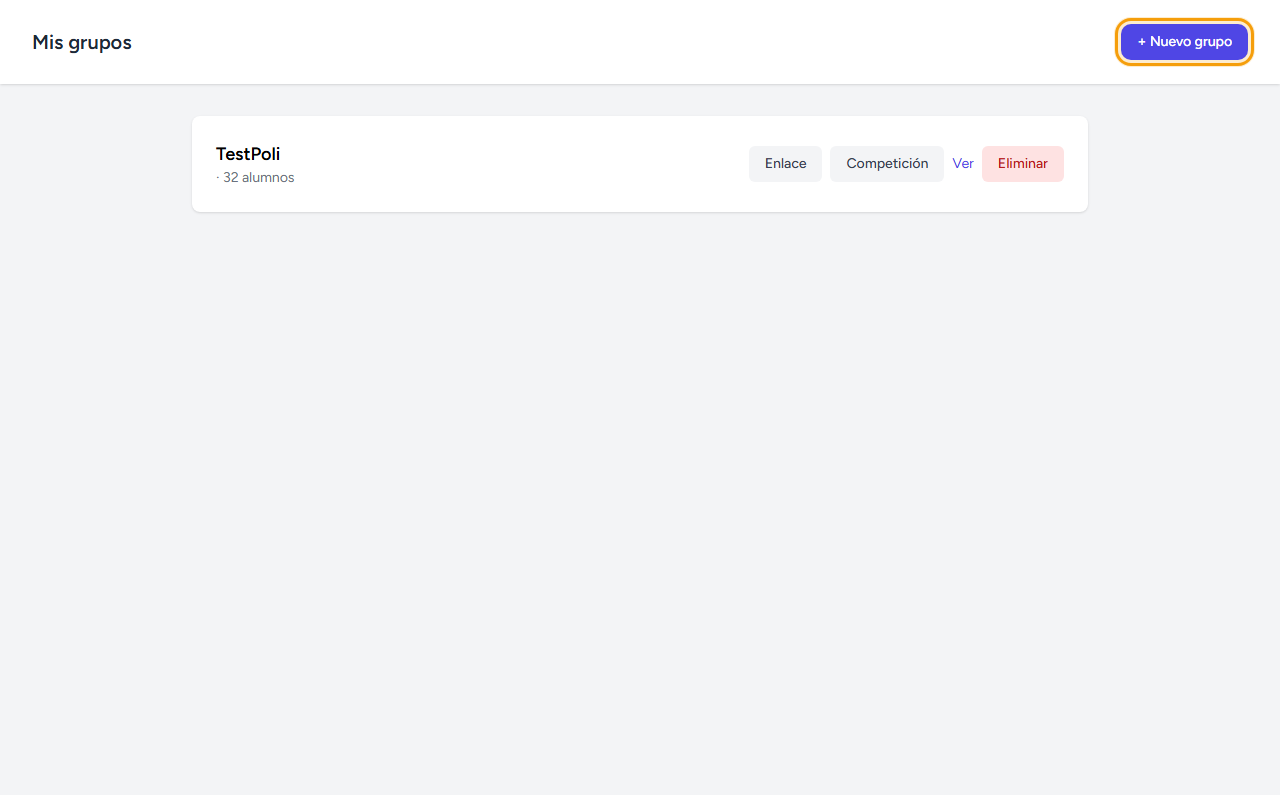
Desde Mis grupos, pulsa Nuevo grupo
En el menú superior entra en Mis grupos y pulsa el botón + Nuevo grupo, arriba a la derecha.
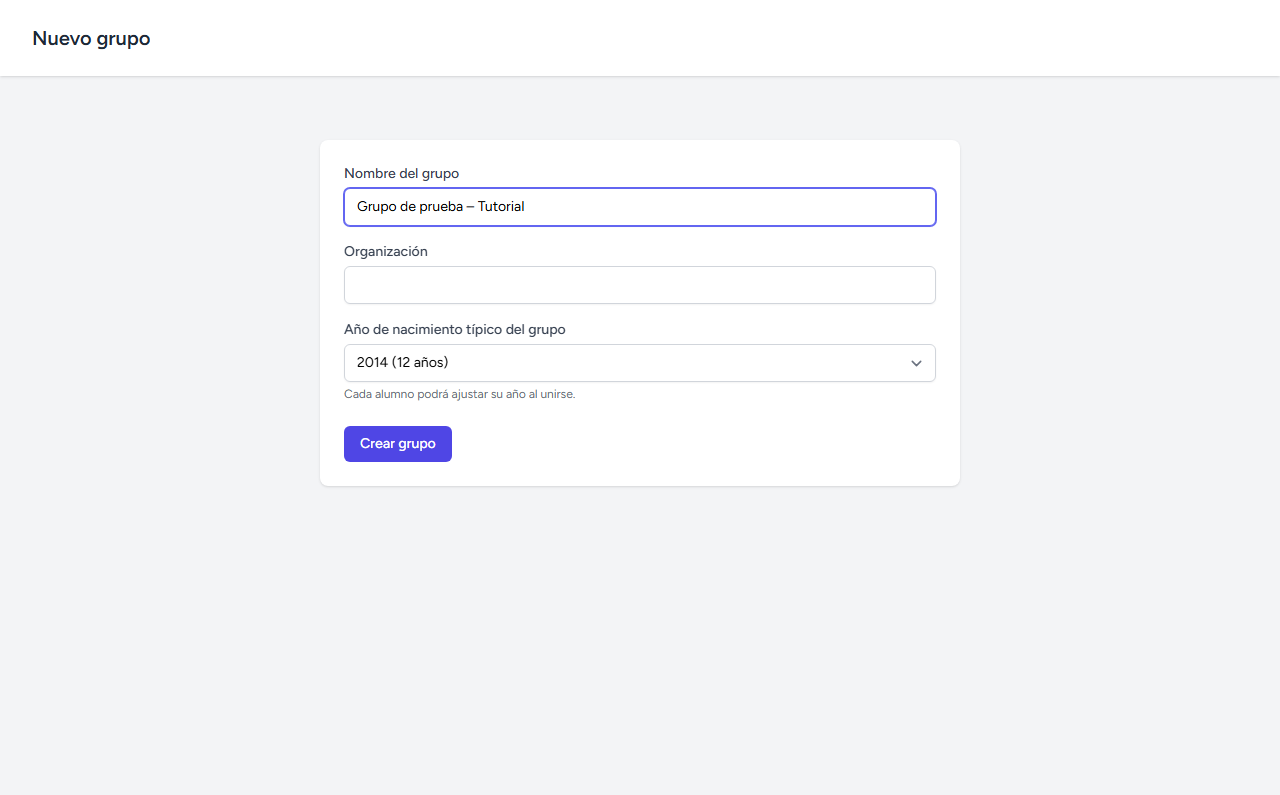
Rellena el nombre
Solo el nombre es obligatorio. La organización y el año de nacimiento son opcionales y ayudan a MathGames a ajustar la dificultad por defecto de algunos labs.
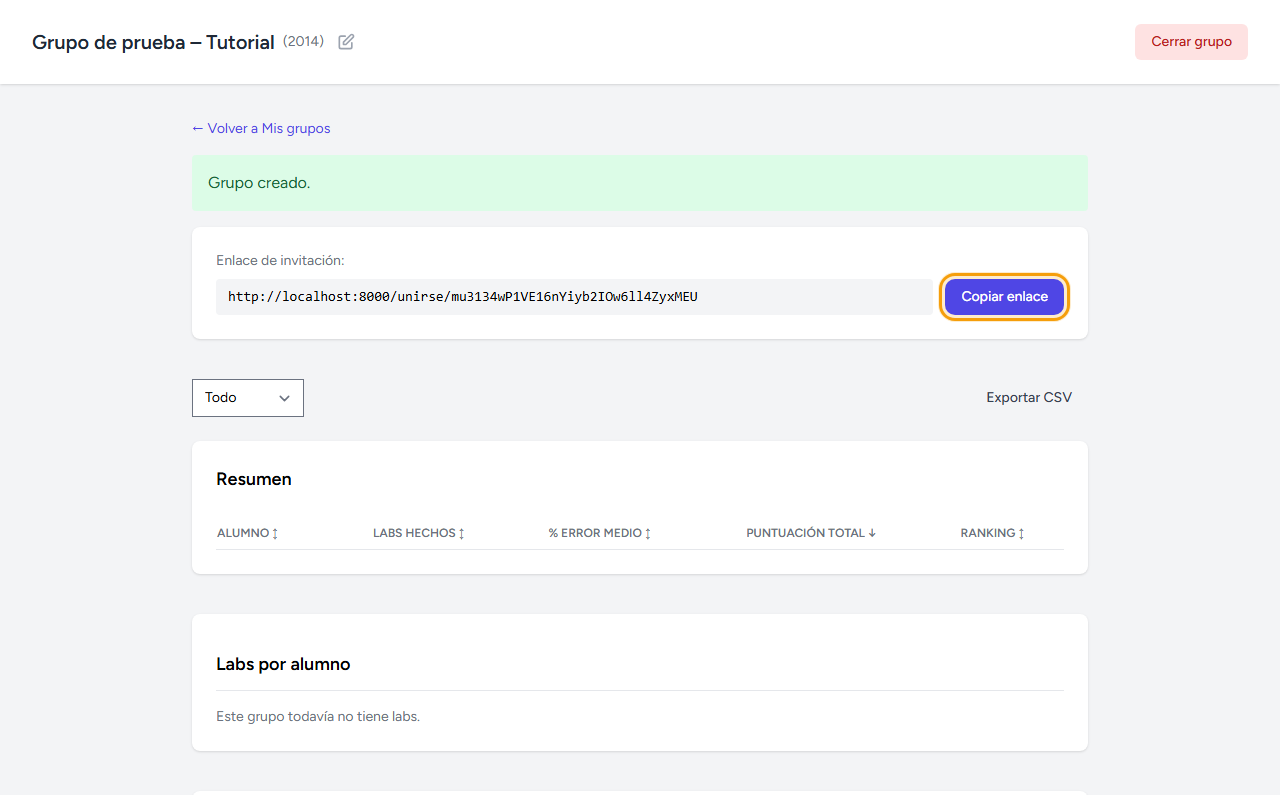
Comparte el enlace de invitación
En cuanto guardas, el grupo genera su propio enlace. Cópialo y pásalo a tu clase — por WhatsApp, en la pizarra, como prefieras.
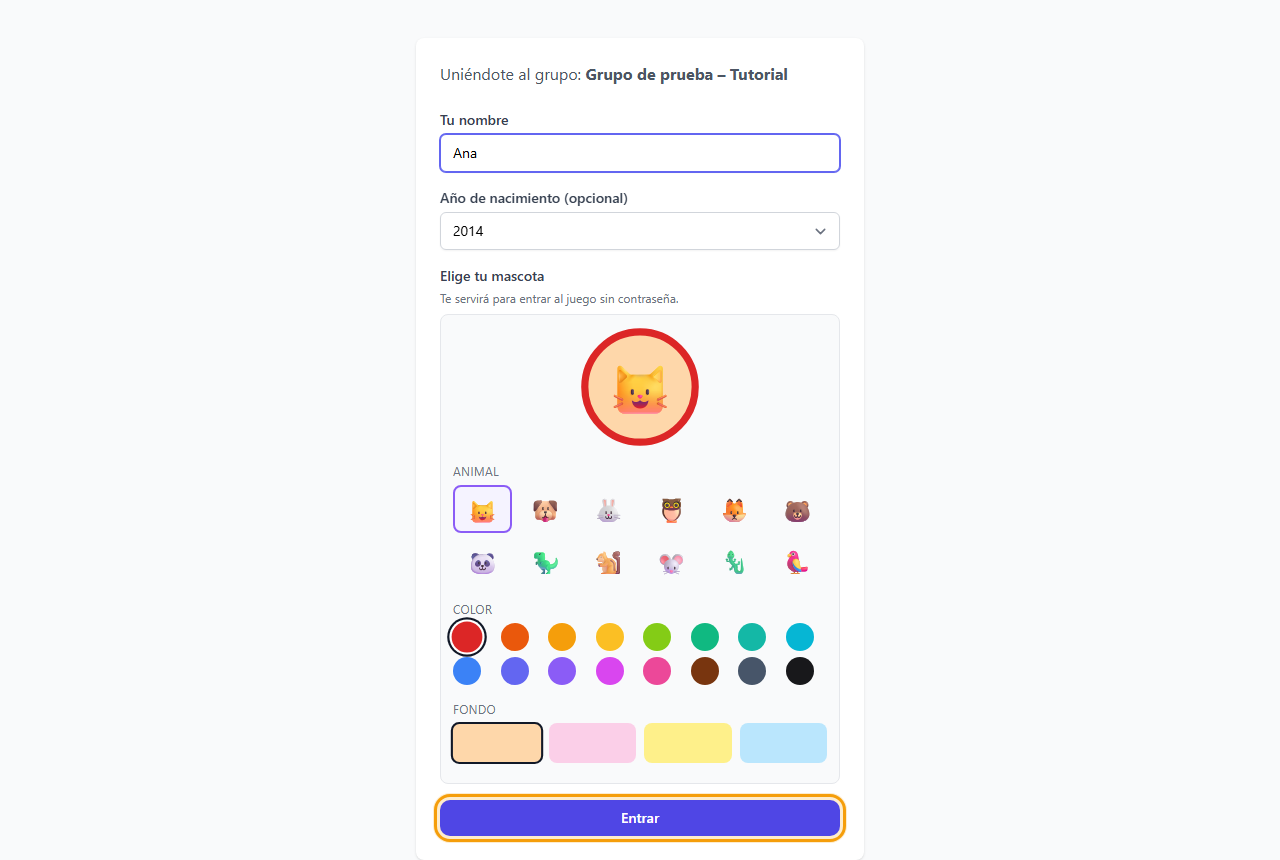
Cada alumno entra con su nombre y una mascota
El alumno abre el enlace, escribe su nombre y elige una mascota — animal, color y fondo. No hace falta contraseña ni correo. La autorización con la mascota crea un entorno afectivo y protege a los alumnos de que otros entren en su cuenta y les roben la identidad.
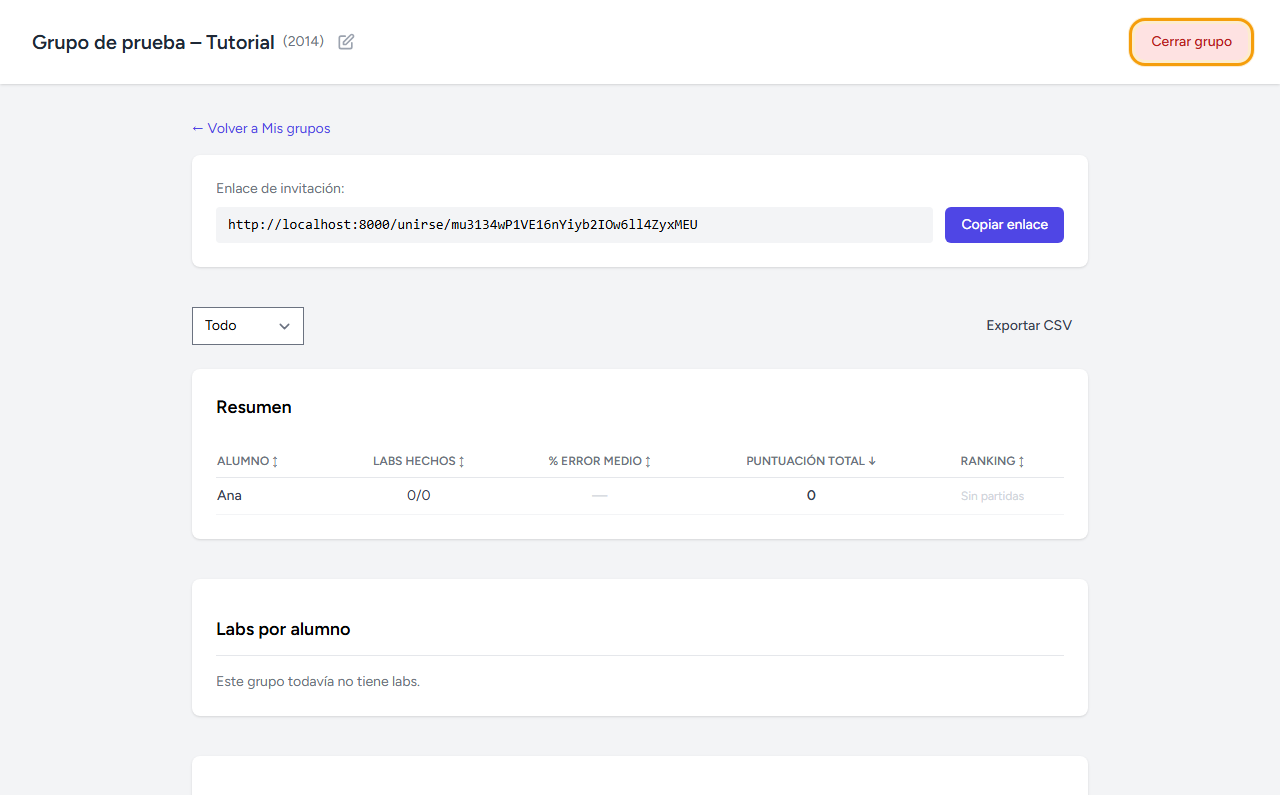
Verás a cada alumno aparecer en tiempo real
En cuanto un alumno se une, su nombre aparece en tu ficha de grupo sin recargar la página. Cuando ya esté toda la clase, pulsa Cerrar grupo para que el enlace deje de admitir altas nuevas.
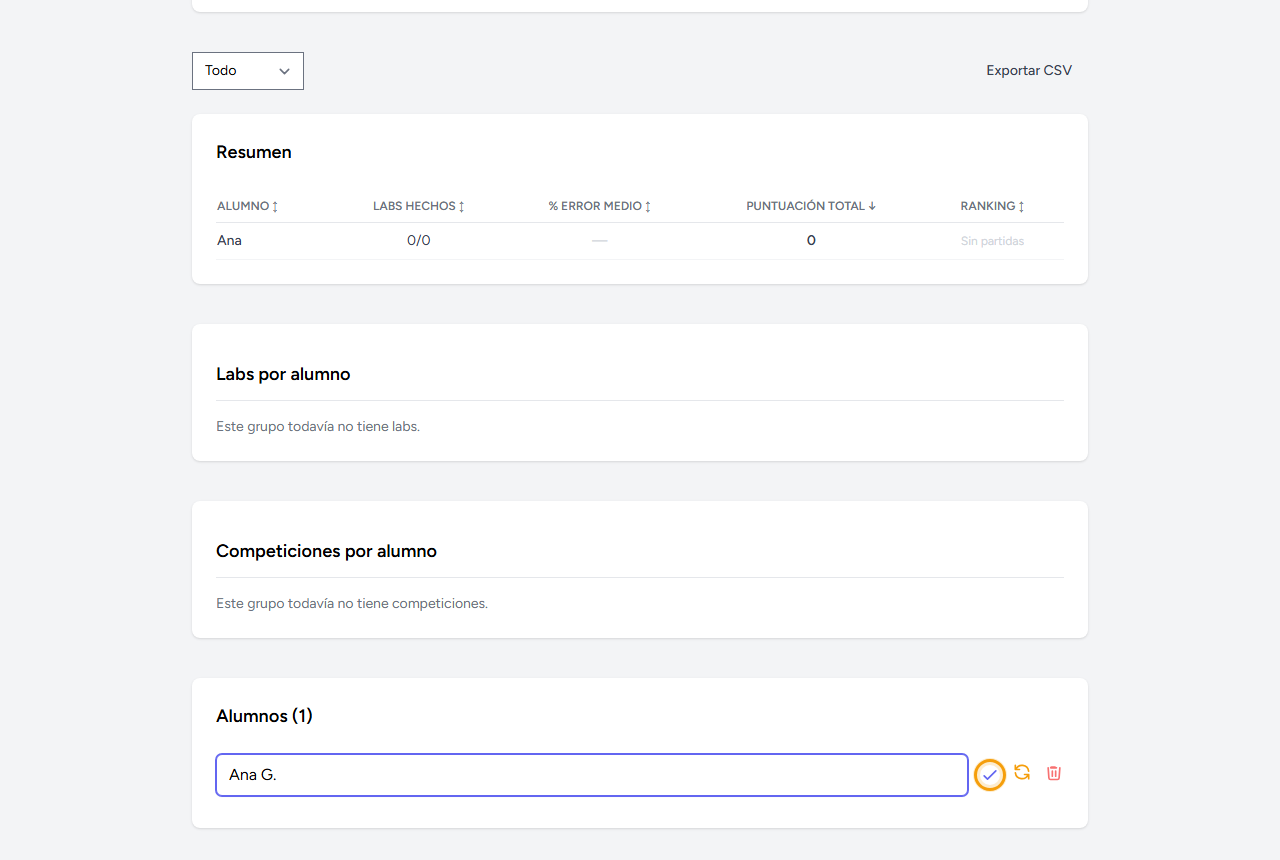
¿Un nombre raro? Renómbralo tú
En la sección Alumnos, al final de la ficha del grupo, cada nombre es un campo editable. Escribe el nombre correcto y pulsa el ✓ para guardarlo — útil cuando un alumno se apunta como "xXx_Pro_xXx" o similar. El icono de al lado restablece la mascota si la olvidó, y la papelera lo da de baja del grupo.
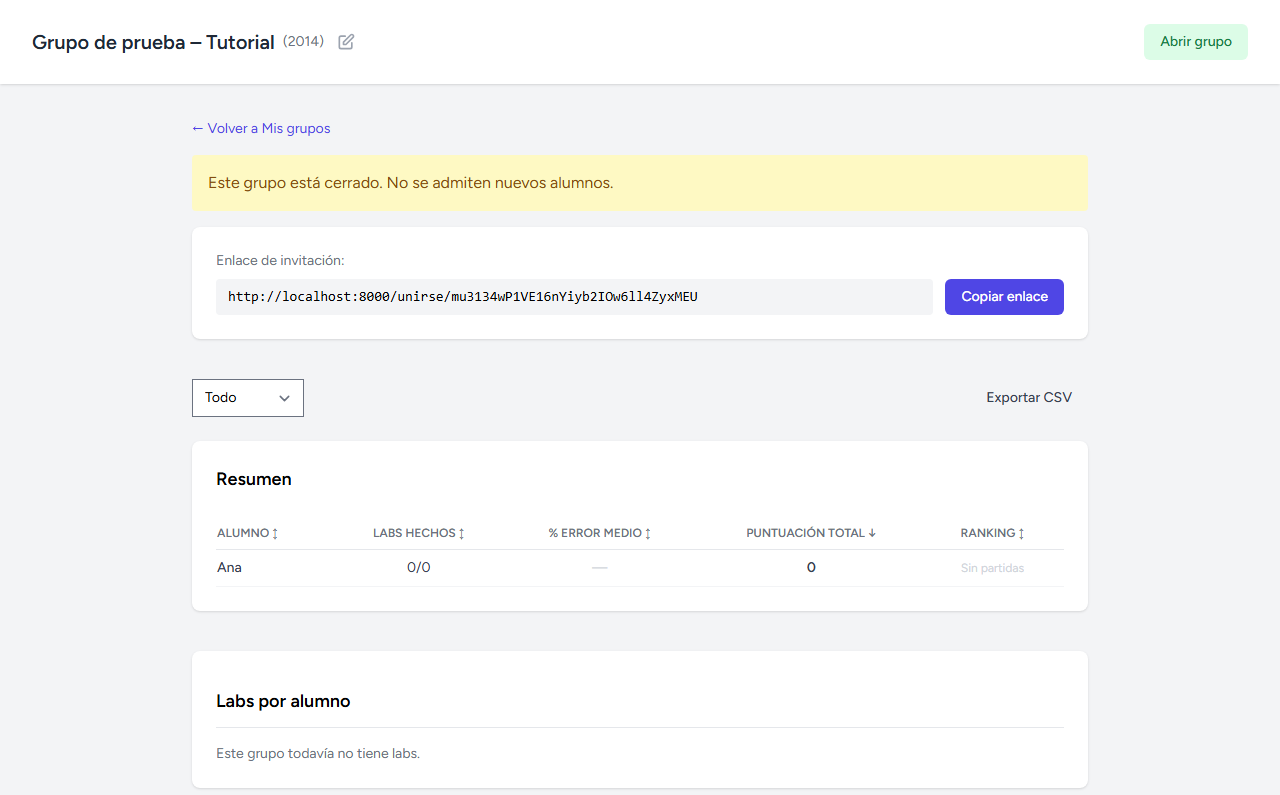
El grupo cerrado, listo para trabajar
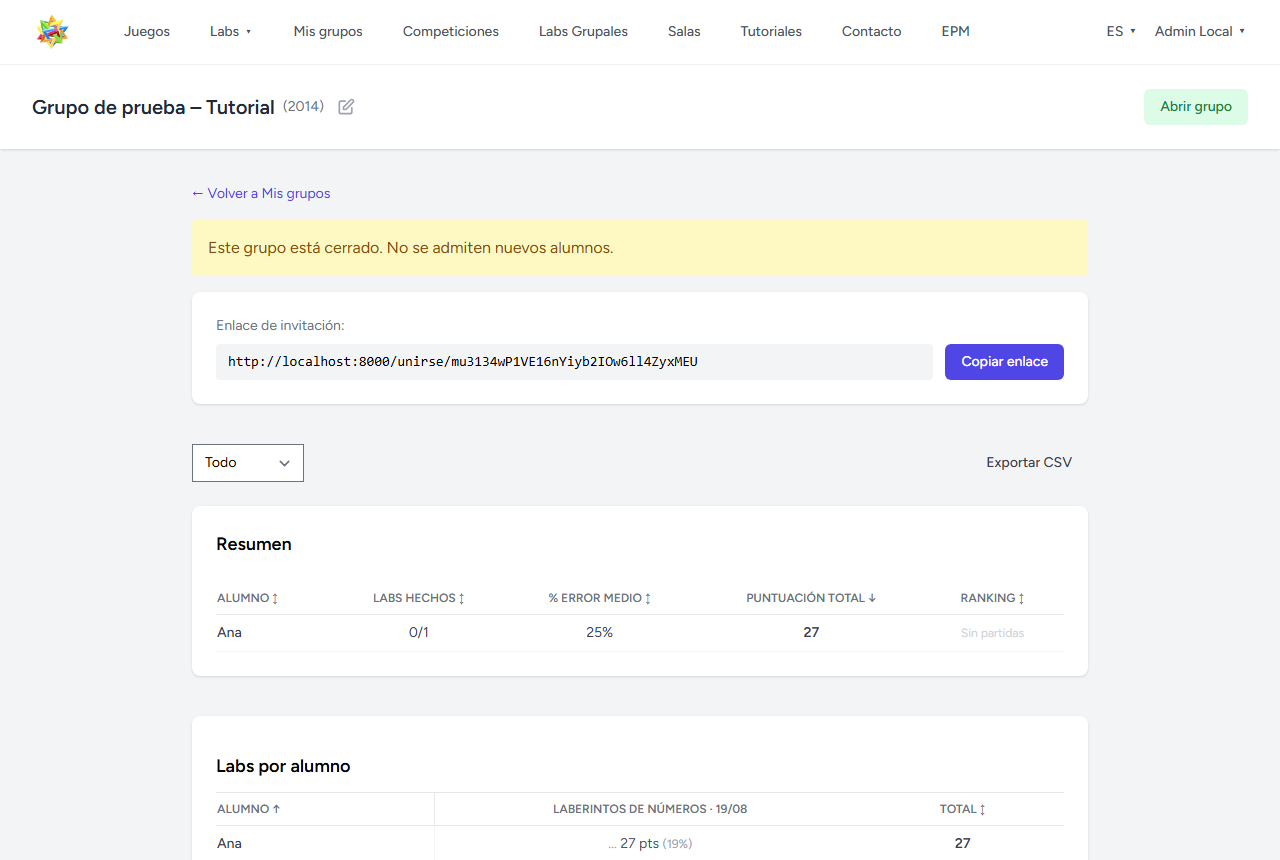
Con el grupo cerrado, cualquiera que abra el enlace sin haberse unido antes ve un aviso — solo puede identificarse si ya era miembro. Puedes reabrirlo en cualquier momento con el mismo botón.
A partir de aquí, el grupo está listo para lanzarle un lab o una competición — con seguimiento en vivo y resultados reales, como en la ficha de abajo.